 CONNECTED BUSINESS. CLEAR CONTROL.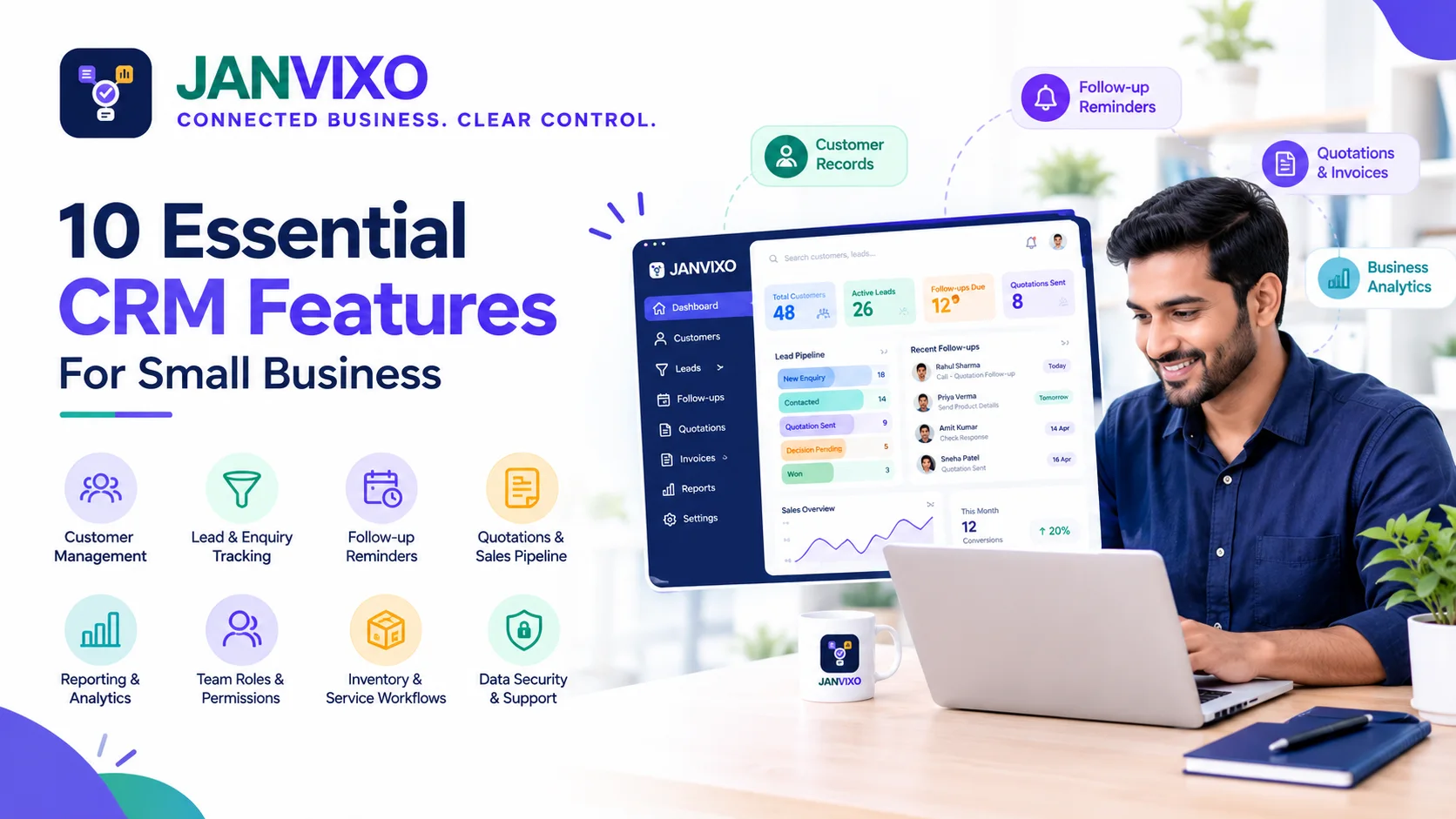
Small Business CRM Mein Kaun Se Features Zaroori Hain?
Aaj ke competitive business environment mein customer enquiries, sales follow-ups aur daily business activities ko organised rakhna important hai. Jab customers ki sankhya badhti hai, toh sirf diary, phone contacts ya spreadsheets par depend karna kuch businesses ke liye difficult ho sakta hai.
Isi liye kai business owners CRM software consider karte hain. Lekin market mein available options aur features ki variety dekhkar ek common question aata hai: Small business ke liye CRM mein kaun se features zaroori hone chahiye?
Har business ko advanced reporting, automation ya dozens of integrations ki zaroorat nahi hoti. Sahi CRM woh hai jo aapke actual workflow ko support kare, team ke liye use karna easy ho aur business ke saath grow kar sake.
Is guide mein hum 10 important CRM features, unke practical benefits aur software choose karte waqt dhyan dene wali baaton ko samjhenge.
1. Customer Management
Customer management kisi bhi CRM ka important area hai. Iska purpose customer-related information ko organised rakhna hai, taaki zaroorat padne par relevant details easily access ki ja sakein.
Useful capabilities mein shamil ho sakte hain:
Customer name aur contact details.
Business ya customer category.
Customer ke saath hui relevant interactions.
Previous enquiries aur current status.
Important notes aur next steps.
Yeh kyun zaroori hai?
Jab customer dobara contact karta hai, toh team ko uski requirement samajhne ke liye purani information dhoondhne mein kam samay lag sakta hai.
CRM choose karte waqt check karein ki customer records ko search, update aur organise karna kitna easy hai.
2. Lead aur Enquiry Tracking
Lead tracking se business ko samajhne mein madad milti hai ki enquiries kis stage par hain.
For example, aap apne workflow ke hisaab se ye stages use kar sakte hain:
New Enquiry
Contacted
Requirement Confirmed
Quotation Sent
Decision Pending
Won
Lost
Har business ka sales process alag ho sakta hai, isliye stages ko customise karne ki flexibility useful ho sakti hai.
Yeh kyun zaroori hai?
Agar enquiries ka status clear hai, toh team identify kar sakti hai ki kis customer ko response dena hai, kahan quotation pending hai aur kaun si enquiries close ho chuki hain.
3. Follow-up Reminders aur Task Tracking
Customer se pehli baar contact karna sales process ka sirf ek part hai. Kabhi customer quotation review karne ke liye time leta hai, kabhi additional information maangta hai aur kabhi future date par contact karne ko kehta hai.
Follow-up tracking capabilities aapko planned actions aur dates ko organise karne mein help kar sakti hain.
CRM evaluate karte waqt check karein:
Kya follow-up date record kar sakte hain?
Kya due aur pending actions dekh sakte hain?
Kya reminders ya notifications available hain?
Kya follow-up kisi specific team member ko assign kar sakte hain?
Yeh kyun zaroori hai?
Aapki team ko pata reh sakta hai ki kis customer par next action lena hai. Lekin results ke liye records ko regularly update karna bhi zaroori hai.
4. Customer Interaction History
Customer ki previous conversations ka relevant record maintain karna useful hai.
Ismein enquiry details, important discussion points, quotation status aur agreed next steps jaise notes shamil ho sakte hain.
Example:
Ek customer ne product quotation maanga. Team ne quotation share kiya aur customer ne kaha ki woh agle hafte response dega.
Agar yeh information record hai, toh next interaction mein employee ko context dobara search nahi karna padega.
Software choose karte waqt check karein ki interaction history kis tarah store hoti hai aur authorised team members use access kar sakte hain ya nahi.
5. Quotation aur Sales Workflow
Agar aapka business products ya services sell karta hai, toh quotation management ek useful capability ho sakti hai.
Aapko apne workflow ke mutabik yeh check karna chahiye:
Quotations create aur share karne ki facility.
Quotation status tracking.
Customer aur quotation details ka record.
Accepted ya pending quotations ko identify karna.
Quotation se related next action record karna.
Yeh kyun zaroori hai?
Quotations ka organised record sales team ko pending proposals review karne aur customer ke questions par action lene mein help kar sakta hai.
Dhyan rahe ki har CRM mein quotation creation ya document generation built-in nahi hota. Kuch solutions ke liye separate tools ya integrations ki zaroorat ho sakti hai.
6. Reporting aur Business Insights
Reports business owners ko activities aur performance ko review karne mein help kar sakti hain.
Useful reports mein, software ke capabilities ke hisaab se, yeh shamil ho sakta hai:
Total enquiries.
Enquiry status distribution.
Pending follow-ups.
Quotation status.
Won aur lost opportunities.
Team activity.
Yeh kyun zaroori hai?
Agar reports accurate data par based hain, toh business owner identify kar sakta hai ki enquiries kis stage par pending rehti hain aur kis process mein improvement ki zaroorat hai.
CRM ki reporting capabilities ko apni actual needs ke saath compare karein. Sirf attractive dashboards dekhkar decision na lein.
7. Team Roles aur Permissions
Agar aapki team mein salespeople, managers, accountants ya service staff hain, toh har employee ko same access dena zaroori nahi hota.
Role-based permissions se authorised users ko unke kaam ke hisaab se access dena possible ho sakta hai.
Evaluate karein:
Kya different user roles available hain?
Kya sensitive information ka access control kiya ja sakta hai?
Kya employee responsibilities clear rakh sakte hain?
Kya team members ke beech records share karne ka suitable process hai?
Yeh kyun zaroori hai?
Clear roles se coordination improve ho sakta hai aur sensitive customer ya business information ko manage karna easier ho sakta hai.
8. Inventory aur Service Workflow Support
Har business ko inventory ya service management ki zaroorat nahi hoti. Lekin agar aap stock, repair jobs, appointments ya service requests handle karte hain, toh connected business workflows important ho sakte hain.
For example:
Product stock ka record.
Service request details.
Job status aur pending tasks.
Customer ke saath related service history.
Relevant business records ka connection.
Aise cases mein sirf CRM nahi, balki broader business management software evaluate karna useful ho sakta hai.
Check karein ki required workflows software mein built-in hain, optional modules hain ya third-party integrations ke through available hote hain.
9. Ease of Use aur Mobile Accessibility
Feature-rich software tabhi useful hai jab team use consistently kar sake.
CRM choose karte waqt yeh questions poochhein:
Kya nayi enquiry record karna simple hai?
Kya customer information jaldi mil jaati hai?
Kya team ko training dena easy hoga?
Kya software mobile browser ya app par available hai, agar aapko mobile access chahiye?
Kya common tasks complete karne mein unnecessary steps toh nahi hain?
Practical tip: Subscription lene se pehle demo ya trial available ho toh actual business scenario par test karein. Ek enquiry add karein, follow-up plan karein aur customer record update karke dekhein.
10. Security, Data Export aur Support
CRM mein customer aur business information store ho sakti hai. Isliye security aur data management ko ignore nahi karna chahiye.
Software provider se check karein:
User access aur permission controls.
Data backup aur recovery policies.
Available security safeguards.
Data export options.
Customer support channels.
Data retention aur account closure policies.
Aapko apni business requirements aur applicable data protection obligations ke hisaab se in points ko evaluate karna chahiye.
Sirf feature list compare karna enough nahi hai; yeh bhi samajhna zaroori hai ki aapka business data kaise manage aur protect kiya jaata hai.
Small Business CRM Feature Checklist
Software providers ko compare karte waqt is checklist ka use karein.
FeaturePriorityCustomer recordsEssential for most businessesLead aur enquiry trackingEssential for lead-driven businessesFollow-up dates aur task trackingEssential if follow-ups are frequentCustomer interaction historyHighly usefulQuotationsDepends on sales workflowReportingDepends on management needsTeam roles aur permissionsImportant for multi-user teamsInventory ya service workflowsIndustry dependentMobile accessDepends on how the team worksData export aur security controlsImportant evaluation criteriaApni must-have requirements ko pehle define karein. Phir har software option ko unhi requirements ke against compare karein.
JANVIXO Small Business Ke Liye Kaise Evaluate Karein?
JANVIXO connected business management software hai. Agar aap customer enquiries aur related business workflows ko organise karna chahte hain, toh JANVIXO ke available features ko apni requirements ke against evaluate kar sakte hain.
Product review karte waqt in areas ko check karein:
Customer records aur enquiry management.
Follow-up dates, status aur remarks.
Quotations, invoices aur payment-related workflows.
Inventory aur service-related features, agar relevant hon.
Team roles aur permissions.
Aapke business ke liye required reports aur daily workflow.
Har feature ki availability current product configuration aur selected plan ke mutabik verify karein.
JANVIXO ke tools dekhne ke liye Features page visit karein. Agar aap product ko apne business process ke saath evaluate karna chahte hain, toh demo request karein.
Frequently Asked Questions
1. Small business ke liye sabse important CRM feature kya hai?
Yeh business par depend karta hai. Lead-driven business ke liye enquiry tracking aur follow-up management important ho sakte hain. Existing customers par focus karne wale business ke liye customer records aur interaction history zyada useful ho sakti hai.
2. Kya small business ko saare CRM features chahiye?
Nahi. Apne current workflow ke liye zaroori features se shuruaat karein. Unnecessary complexity aur cost se bachne ke liye optional features ko actual business need ke basis par choose karein.
3. CRM aur business management software mein kya difference hai?
CRM ka focus customer relationships, enquiries aur sales-related activities par hota hai. Business management software mein CRM ke alawa inventory, invoicing, service operations ya other workflows bhi shamil ho sakte hain, depending on the product.
4. CRM software choose karne se pehle kya check karna chahiye?
Required features, ease of use, pricing, user limits, data security, reporting, support aur data export options compare karein. Demo ya trial available ho toh apne actual workflow par test karein.
5. Kya CRM software sales increase guarantee karta hai?
Nahi. CRM organised records aur consistent workflows support kar sakta hai, lekin sales results product quality, pricing, customer demand, service aur team execution jaise factors par bhi depend karte hain.
Conclusion
Small business ke liye CRM choose karte waqt sabse expensive ya feature-heavy software select karna zaroori nahi hai. Important yeh hai ki software aapke customer records, enquiry tracking, follow-ups aur daily business workflow ko effectively support kare.
Customer management, lead tracking, reminders aur interaction history jaise features se shuruaat karein. Uske baad quotations, reporting, team permissions aur industry-specific workflows ko apni requirements ke mutabik evaluate karein.
JANVIXO ke features explore karein aur dekhein ki woh aapke business ki real requirements ke saath kitne suitable hain.