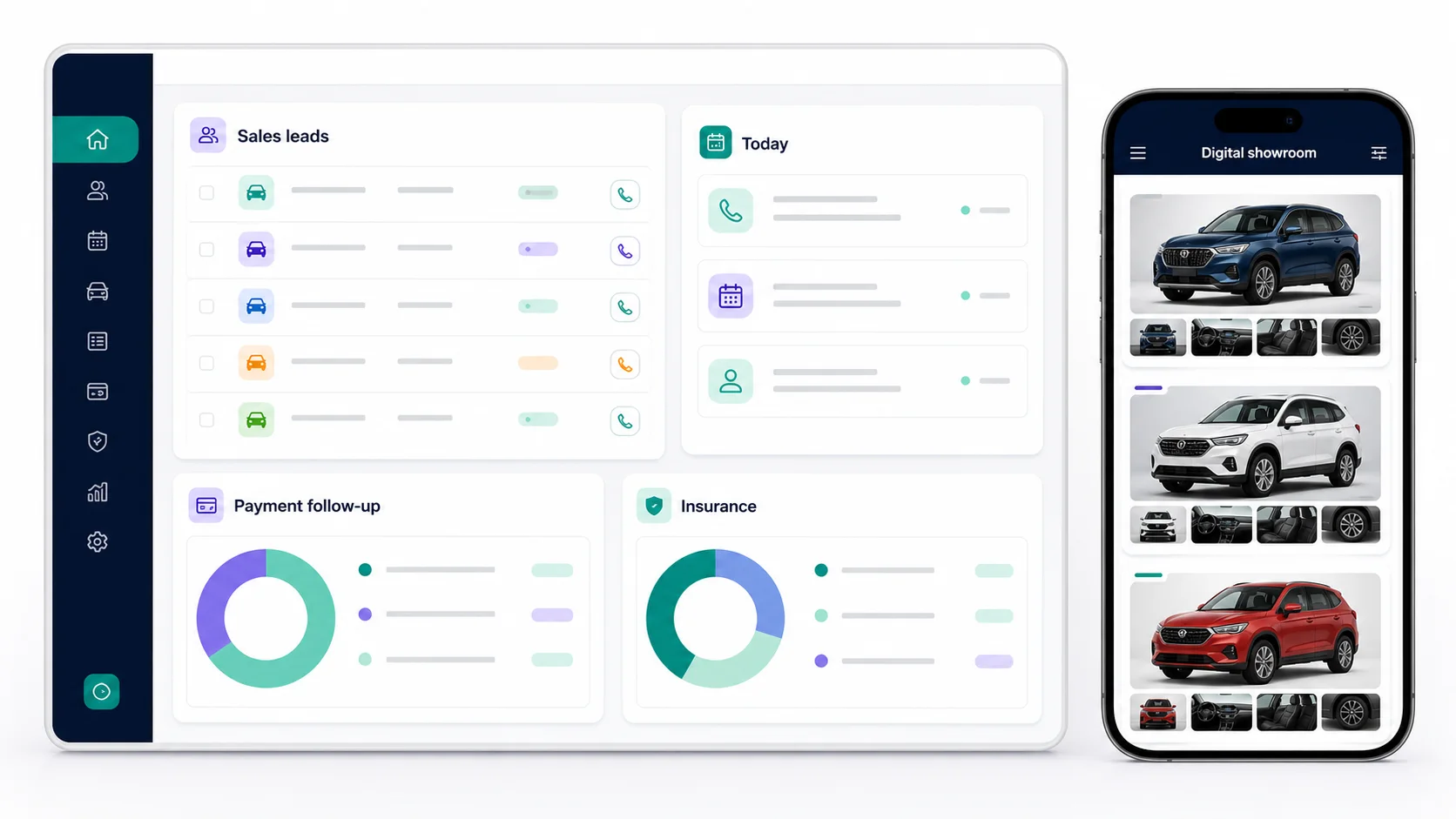
One connected workspace—from the first enquiry to operations, payment follow-up and digital selling.
✦
SMART ASSISTANT
Ask for daily business work in Hindi, Hinglish or English.
Find today’s follow-ups, customer details, products, pending payments and template-specific work through guided commands.
Vinay ki payment pending dikhao
SMART RESULTPending collection foundCustomer and invoice details are ready to review.Open payment follow-up →
Ask in the language your team uses.
Review the exact record or task returned.
Confirm before protected actions are saved.
The assistant respects workspace permissions and does not silently update, pay, deliver or delete business records.
◎
CRM & CUSTOMER ENQUIRIES
Capture the real requirement while the customer is in front of you.
Save name, mobile number, village or area, requirement and next action in one clear flow. Matching mobile numbers stay connected to the same Customer 360 profile.
New customer enquiry Ready to save
Customer name10-digit mobileRequirementVillage / area
Save enquiry
Add the customer’s actual requirement.
Assign the enquiry to a responsible employee.
Use the same customer history when they return.
◷
DAILY FOLLOW-UPS
Start the day with exactly the work that needs attention.
Today, overdue and upcoming work stay in separate queues. Employees save the next date after each meaningful customer action.
Due todayOverdueUpcoming
RS
Rahul SharmaQuotation follow-up · 11:30 AM
Open
PM
Priya MehtaPayment reminder · 2:00 PM
Open
Open today’s assigned work.
Call or WhatsApp from the customer screen.
Save the outcome and next follow-up date.
✓
BUSINESS-SPECIFIC WORKFLOWS
Use stages and language that match the business being run.
A vehicle sale, insurance policy, workshop job and product order should not share an artificial pipeline. JANVIXO keeps their stages and operations distinct.
1. Enquiry2. Follow-up3. Confirmed4. Completed
Choose the closest business template.
Use only compatible modules and stages.
Keep completed and lost work out of active follow-up queues.
₹
INVOICES & COLLECTIONS
Track each invoice and payment follow-up separately.
Create item-based invoices, choose a payment due date and assign the collection owner. Payments remain linked to the correct invoice, even when one customer has several invoices.
PAYMENT DUE₹24,500INV-001-00042
NEXT FOLLOW-UP18 AugAssigned to Ravi
Payment add karo
Create and verify the invoice details.
Follow up against the exact outstanding invoice.
Record received payments with employee and audit history.
JANVIXO supports operational tracking. Businesses should retain their own source documents, statutory records, exports and backups.
▣
PRODUCTS, INVENTORY & ORDERS
Keep product movement connected to purchases and sales.
Search products by name, SKU or barcode, use stock locations and keep incoming, reserved, sold and reversed quantities auditable.
24
Available stockProduct · SKU · Location
View
06
Low-stock itemsReorder attention visible
Open
Create products and stock locations.
Receive purchases or record controlled stock movement.
Reserve and reduce stock through confirmed customer orders.
↗
TEAM ACCOUNTABILITY
Make responsibility visible without showing everyone everything.
Owners control roles and access. Each enquiry, collection and insurance task shows the assigned employee so work does not depend on private notebooks or chat memory.
AK
Amit KumarSales executive
12 assigned
RS
Ravi SinghCollections
6 assigned
Add active employees to the workspace.
Give only the permissions their role needs.
Review ownership and activity from owner reports.
▦
DIGITAL SHOWROOM & LANDING PAGES
Present selected products or services through a professional public link.
Owners control categories, details, photos, hero content and enquiry forms. Campaign and referral links can track where an enquiry came from.
▦Featured productsView details
◎Special offerSend enquiry
↗Partner linkTrack source
Set up the permanent showroom.
Publish selected categories, products, services and photos.
Create focused campaign or partner landing links when needed.
Try the workflow with your own business.
Start with a free workspace, choose a template and test the daily flow before selecting a paid plan.
 CONNECTED BUSINESS. CLEAR CONTROL.